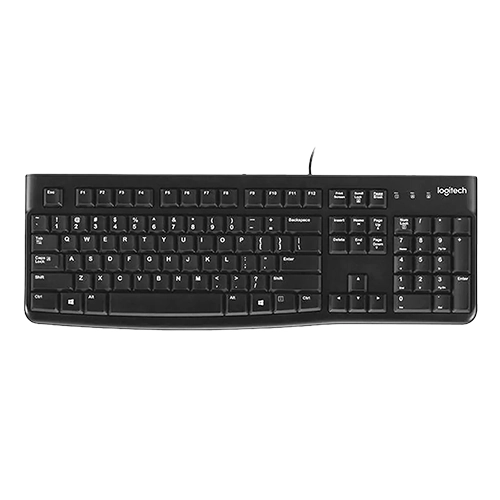
The Logitech K120 Corded Keyboard offers dependable performance and long-lasting durability, making it ideal for professional environments. Designed for simplicity, it features a full-size layout with an integrated 10-key number pad, supporting efficient data input and navigation. The curved space bar and clearly labelled keys promote a comfortable, familiar typing experience. The keyboard connects via a standard USB interface and is ready for use immediately without the need for additional software. Built with a spill-resistant structure and deep-profile keys, the K120 Corded Keyboard is tested to withstand up to 10 million keystrokes, excluding the number lock key. It also includes caps lock and num lock indicator lights for improved usability. Measuring 450 mm in width and weighing 550 grams, it features a 150 cm cable for flexible workstation setups. The black plastic components contain 51 percent post-consumer recycled material, and its total carbon footprint is measured at 4.02 kg CO2e. Compatible with Windows 10, 11 or later.
Brand: Logitech
-

Share Button for Logitech Scribe in White
The Logitech Scribe Wireless Share Button offers a practical solution for initiating whiteboard sharing during video meetings. Designed for use with Logitech Scribe, this optional wireless accessory enables presenters to start or stop content sharing with a simple press, using a finger, elbow or any available object, including a marker. It is engineered to support natural interaction in meeting spaces where physical contact with devices needs to be intuitive and accessible. Available in white, the Share Button provides a visual alternative to the standard purple version, making it suitable for rooms with a neutral or light-toned design scheme. By integrating the Logitech Scribe Wireless Share Button into the meeting environment, teams can enable consistent and user-friendly activation of whiteboard sharing functionality, improving collaboration in hybrid and in-room settings. Its wireless design supports flexible placement on tables or surfaces within the room, enhancing accessibility without requiring fixed installation.
-
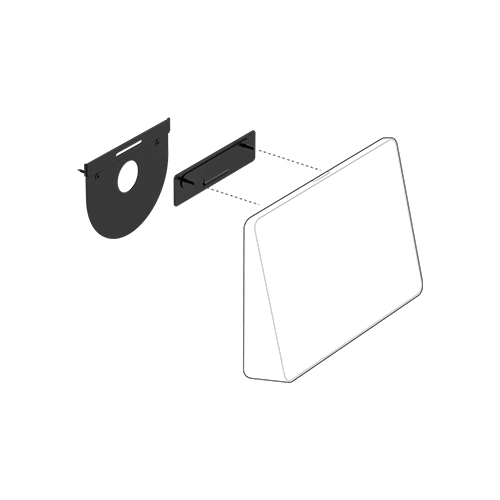
LOGITECH TAP WALL MOUNT
The Logitech Tap Wall Mount is a space-efficient mounting solution designed for Logitech Tap and Tap IP meeting room touch controllers. Ideal for compact meeting spaces, huddle rooms, and high-traffic areas such as hallways and open-plan zones, this wall mount allows for convenient, stand-up access to touch controls while preserving valuable table space. Its low-profile design features a durable plate and cleat mechanism that securely holds the controller with minimal protrusion, maintaining a clean and professional appearance. The mount supports both rear and bottom cable exits, enabling flexible cable routing options through or along the wall. For meeting room applications that support wired content sharing, an integrated magnetic dock and clip provide a tidy storage point for an HDMI cable, ensuring it remains accessible yet unobtrusive. The Logitech Tap Wall Mount is a practical and reliable solution for enhancing meeting room efficiency and maintaining orderly installations in modern collaborative environments.
-
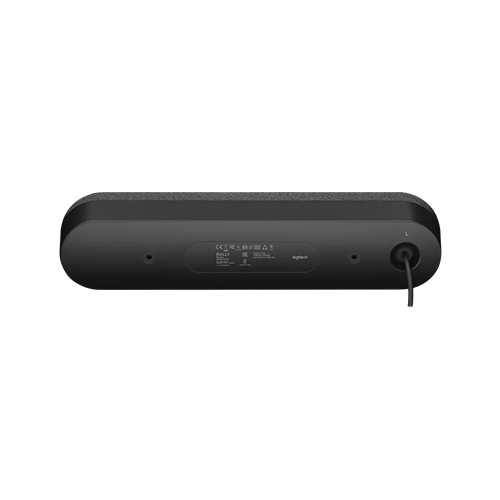
Rally Speaker
Enhance audio coverage in larger meeting spaces by adding a second Logitech Rally Speaker, designed to deliver clear and consistent sound. Integrated RightSound™ technologies help reduce distortion, clipping, and vibration, ensuring speech is intelligible and comfortably audible across the room. Positioning Rally Speakers at the front of the room maintains audio alignment with on-screen visuals, avoiding the disorienting effect of sound originating from behind participants, as with tabletop speakerphones. When used with Rally Mic Pods placed on the table, the system creates a more natural and engaging conversation environment. A specialised suspension system isolates the speaker module from its outer enclosure, significantly minimising vibration transfer through furniture or structures. This design supports effective echo cancellation and preserves image stability during video conferencing. Distribute sound more evenly by installing two speakers, reducing the need for high volume levels. Logitech Rally Speakers can be wall-mounted using the Rally Mounting Kit or placed on suitable furniture.
-
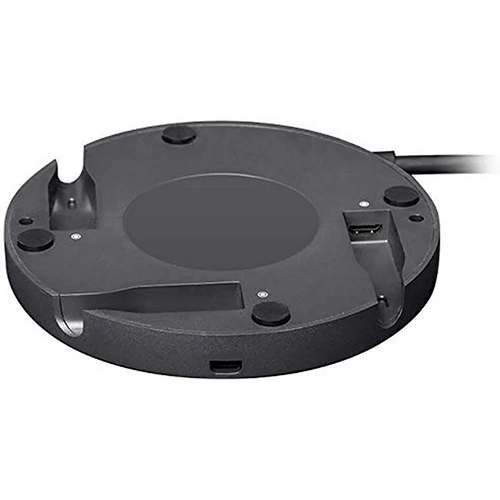
Rally Mic Pod Hub
The Logitech Rally Mic Pod Hub offers professional flexibility for configuring microphone placement across a wide range of conference table designs. Designed to streamline installation, it serves as a central connection point with three ports supporting any combination of Rally Mic Pods or additional hubs. This structure removes the need for daisy-chaining, helping to reduce clutter and simplify cable routing. Suitable for U-shaped or non-standard table layouts, the Rally Mic Pod Hub allows audio cabling to run discreetly beneath the table surface, enhancing both accessibility and visual order. Each mic pod connects via a single cable, enabling participants to reposition units without disrupting the setup or neighbouring devices. Logitech Rally Mic Pod Hub supports adaptable room arrangements while maintaining consistent audio performance. With automatic recalibration of the RightSound Mic Matrix technology occurring 125 times per second, it delivers continuous echo cancellation, beamforming, and noise suppression regardless of microphone position.
-
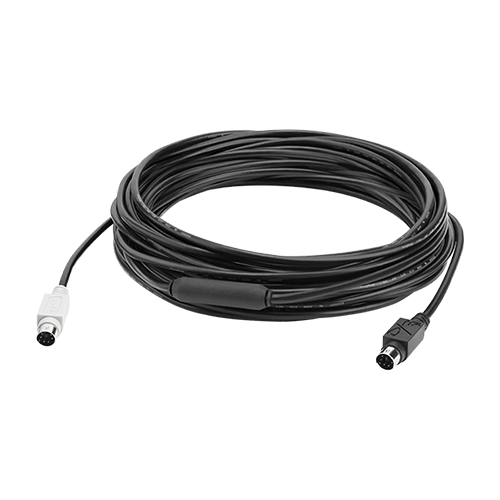
GROUP 10M EXTENDED CABLE
The Logitech GROUP 10m Extended Cable is designed to support professional meeting spaces requiring greater flexibility in device placement. Ideal for large conference rooms, this high-quality 10 metre cable allows for extended connectivity between the Logitech GROUP hub and either the camera or speakerphone. Replacing the standard 5 metre DIN cable supplied with the Logitech GROUP system, it enables more versatile room configurations and helps achieve cleaner installations by allowing the cable to be routed through conduits or raceways. This extension solution ensures reliable signal transmission across increased distances while maintaining optimal performance for video conferencing. The Logitech GROUP 10m Extended Cable is a practical choice for organisations seeking to enhance room layout options without compromising on audio-visual quality.
-
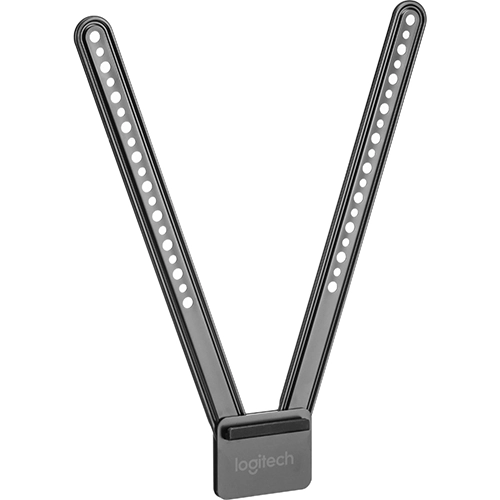
TV MOUNT FOR MEETUP
The Logitech TV Mount for MeetUp is a secure mounting solution designed specifically for the Logitech MeetUp ConferenceCam. It enables professional installation either above or below a flat-panel display, offering flexible positioning to suit various meeting room configurations. While positioning the Logitech MeetUp below the screen generally supports a more natural camera angle, the mount accommodates both setups depending on preference and room layout. The mount is compatible with most modern displays, attaching to industry-standard VESA mounting points commonly found on the rear of monitors and televisions. Its swing arm mechanism and multiple mounting slots ensure reliable attachment across a wide range of screen sizes. Two versions are available to suit different display dimensions: the standard TV Mount supports screens up to 1397 millimetres, while the TV Mount XL is designed for larger panels measuring up to 2286 millimetres diagonally. This ensures that the Logitech TV Mount for MeetUp provides a stable and adaptable solution for professional video conferencing environments.
-
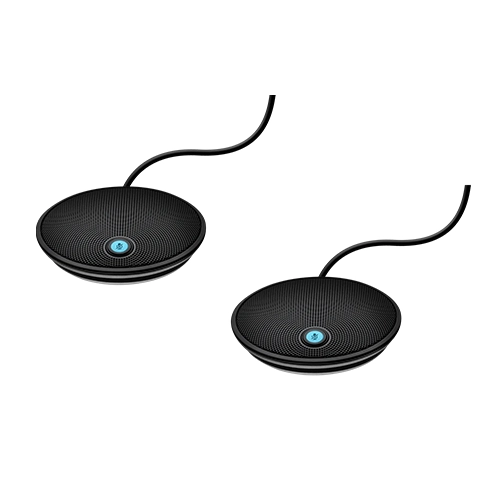
GROUP EXPANSION MICS
Logitech GROUP Expansion Mics are designed to enhance the audio range of the Logitech GROUP video conferencing system, making them ideal for larger meeting spaces. By integrating these add-on microphones, organisations can extend coverage to accommodate meetings with up to 20 participants in a single room, ensuring clear voice transmission from all seating positions. The microphones connect directly to the GROUP speakerphone, where they are instantly detected and set up without manual configuration. Each unit includes a status indicator that clearly signals when the microphone is muted, during an active call, or when Bluetooth wireless pairing is in progress. Logitech GROUP Expansion Mics provide a practical solution for scaling audio input capabilities in professional conferencing environments, ensuring that all participants can contribute to discussions with clarity and consistency. This makes them a valuable addition to any enterprise aiming to maintain high audio standards across extended boardroom setups.
-
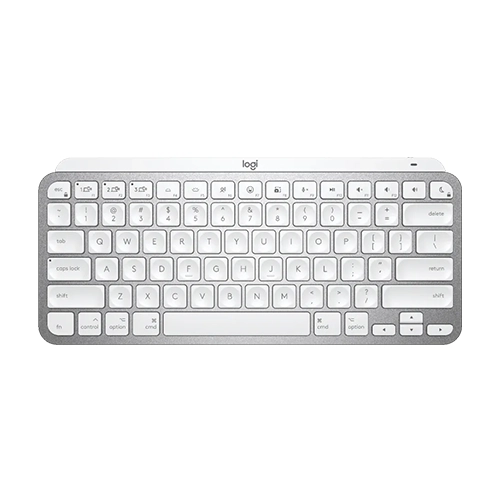
MX Keys Mini for Mac
The MX Keys Mini for Mac is a compact wireless keyboard designed specifically for Apple users seeking a streamlined yet capable typing solution. Engineered for compatibility with macOS, iOS and iPadOS devices, it features a Mac-specific key layout, smart illumination activated by hand proximity, and an ambient light sensor for automatic brightness adjustment. The minimalist design is complemented by colour options in space grey and pale grey to match Apple aesthetics. The MX Keys Mini for Mac connects via Bluetooth Low Energy and supports up to three devices with easy switching. It includes a USB-C rechargeable battery offering up to ten days of use with backlighting or up to five months without. Weighing 506.4 grams, this keyboard also supports Logitech Flow when paired with a compatible mouse and is managed through the Logi Options Plus app for macOS. For FileVault-enabled Macs, a separate Logi Bolt USB receiver is recommended to ensure reliable connectivity.
-
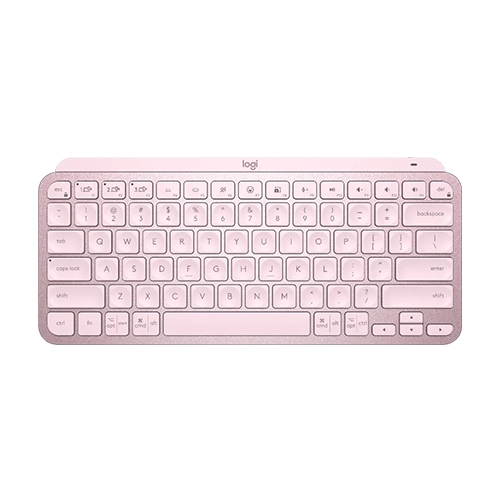
MX Keys Mini
The Logitech MX Keys Mini is a compact wireless keyboard designed to support precision and efficiency for professional users. Built with the same performance-focused engineering as the full-size MX Keys, it offers a comfortable, fluid typing experience in a minimalist form that promotes improved posture and ergonomic alignment. Featuring Bluetooth Low Energy connectivity, the MX Keys Mini allows connection with up to three devices, with easy switching between them. Smart backlighting activates via hand proximity sensors and adjusts based on ambient lighting conditions. The keyboard is powered by a USB-C rechargeable battery, delivering up to 10 days of use or up to five months when backlighting is disabled. Additional features include an on-off switch, battery and Caps Lock indicators, and compatibility with Logitech Flow-enabled mice. The MX Keys Mini supports the Logi Options Plus app on Windows and macOS and is compatible with systems running Windows 10 or later, macOS 10.15 or later, iOS 14, iPadOS 14, Linux, ChromeOS, and Android 8.0 or above.